The Architect's Mindset: Bringing Software Engineering to Excel
Stop building spreadsheets. Start building systems. How to apply the 12-Factor App methodology to your financial models.
The Complexity Cliff
It takes 1 minute to start an Excel model. It takes 100 hours to untangle it.
Excel is dangerous because the barrier to entry is zero. You don't need a plan. You just type =A1+B1. So we build. And build. Until suddenly, we hit the Complexity Cliff. Formulas are 4 lines long. You are afraid to delete a column. You are the only person on Earth who understands how it works.
Most people fail at Excel not because they lack financial knowledge, but because they lack an Architecture.
You Are a Software Engineer
If you write complex Excel formulas, I have news for you: You are a software engineer.
You might not know Python or C#, but you are dealing with the exact same problems:
- Logic Flow (
IFstatements) - Data Structures (Tables vs Ranges)
- UI/UX (Dashboards vs Input Sheets)
The difference is that engineers have a rigorous set of rules to keep their code clean. Excel users usually just wing it. To build better models, we need to steal their best ideas.
High Cohesion
Related things should stay together. The Bad Way: Revenue Calc on Tab 1, Assumptions on Tab 5, Growth Rate hidden in Tab 3. The Architect's Way: All Revenue logic lives in one module. Inputs next to logic. Logic next to outputs. When you fix a bug, you only look in one place.
Loose Coupling
Modules should talk to each other as little as possible. The #1 reason models break is the Spaghetti Effect—when every cell depends on every other cell. If you delete a row in HR, Marketing breaks. The Fix: Build blocks. Your Revenue Engine should calculate Revenue and pass only the final number to the Cash Flow sheet.
The 12-Factor Excel Model
In the cloud world, the "12-Factor App" is the gold standard for building scalable, reliable software. Why shouldn't your billion-dollar financial model meet the same standard?
We mapped the principles of modern software architecture to the world of spreadsheets:
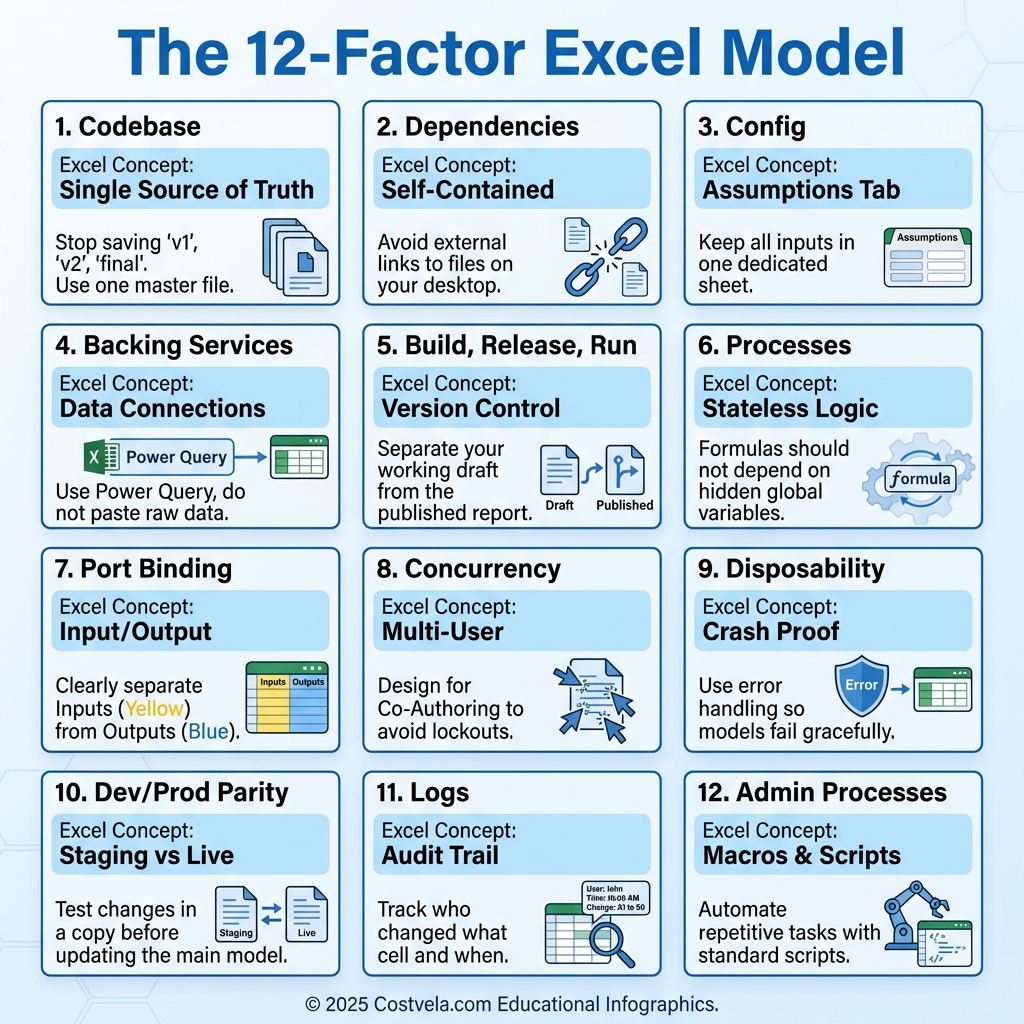
- Codebase (Single Source of Truth): Stop saving
v1,v2,final. Use one master file. - Config (Assumptions Tab): Centralize all inputs. Never hardcode "10%" inside a formula.
- Processes (Stateless Logic): Formulas should not depend on hidden global variables or state.
- Dev/Prod Parity (Staging vs Live): Never experiment in your "Live" model. Test changes in a copy first.
If you architect your Excel model like a cloud app, it becomes scalable, portable, and unbreakable. It turns from a fragile spreadsheet into a robust financial system.